Automagically publish Twitch clips to TikTok and YouTube Shorts
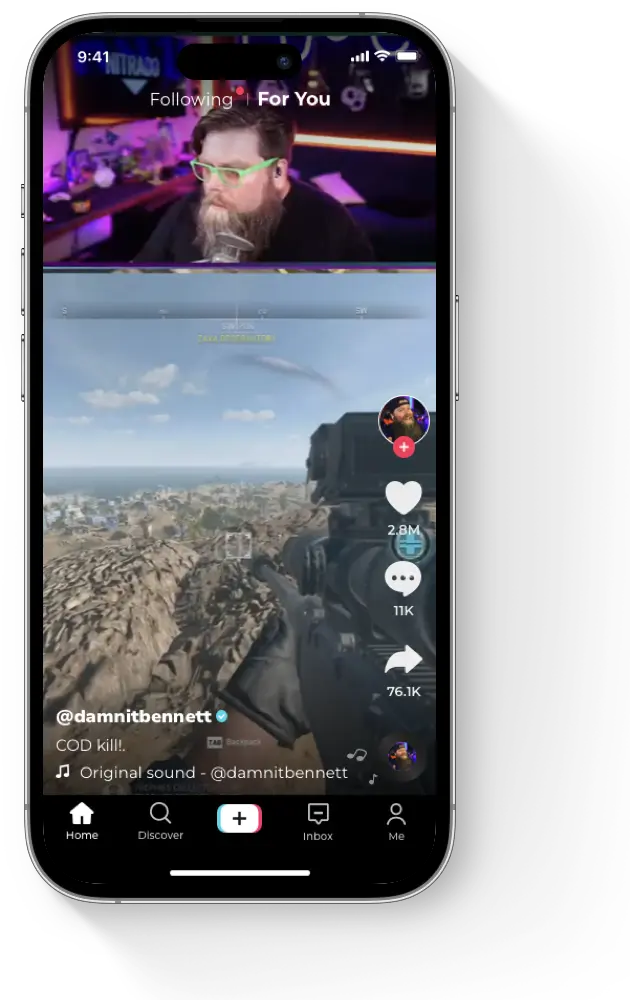
Clipbot fetches, filters, crops, captions, and schedules your Twitch clips. It automatically publishes them to YouTube and TikTok.



Used by 10,000+ creators
Reviews
Time saved. Reach multiplied. Creators approve.

MartyFreeze
Variety Streamer
Just wanted to say thanks for this program! It's really expanded my reach!

Sierra
Variety Streamer
Clipbot.tv is the best thing ever i'm so thankful you made this thank you for being amazing it's SO SO helpful exactly what i've been looking for 💜
Benjamin Akar
Coding Streamer
Obsessed with Clipbot! 😍 Saves me hours in editing daily! A must-have tool for any streamer!



Fully equipped for success.
Clipbot is packed with all the essential features to amplify your content across platforms.
Automatic YouTube and TikTok uploads
Clipbot handles clip fetching, selection, vertical editing, captions, scheduling, and publishing. Your clips go from Twitch to YouTube Shorts and TikTok automatically.
Manual Mode
Don't want all your clips uploaded? Pick your favorite clips and only upload those.
Create Clips
Easily create clips from your stream with the click of a button!
Best Clip Filtering
Filter what clips get uploaded based on views on Twitch so only your best clips get posted.
Custom Crops
Lots of different kinds of clips? No problem! Crop any clip by itself to create an awesome vertical video.
Easy Vertical Videos
Want to make perfect mobile videos? Crop your camera and gameplay area to create a high quality vertical video easily!
Pricing
Automate your success. Choose your plan.
Full refund within 30 days, if you don't love it.
7-Day Free Trial
$0
Try and see if Clipbot is right for you.
- YouTube uploads and TikTok sharing
- Vertical videos
- Intelligent cropping
- Manual upload selection
- Best clip filtering
- #clipbottv hashtag
Pro
$9 / month
billed annually as $108
- All Free features, plus:
- Scheduled uploads
- Performance insights
- Upload scheduling
- Automated captions
- Premium support
- Suggest future features that get built
- Early access to new products
FAQ
Set up chat clipping step by step: Nightbot !clip command guide.
On autopilot.