Why Athenascope Shut Down & Best Alternative for Twitch Clips in 2026
UPDATE APRIL 2022:
I wrote this article in January. This week Athenascope shut down.
If you used Athenascope and need something new, check out Clipbot.tv. It helps you make clips, upload them to YouTube Shorts, and publish them to TikTok overnight.
You can try Clipbot free for 7 days. After that, Clipbot Pro is $15 per month, or $9 per month billed yearly ($108).
2026 Update: People still search for Athenascope reviews and alternatives years after the shutdown. If you need a tool that automatically handles Twitch clips, Clipbot is the best option. It pulls your clips, edits them for vertical video, and uploads them to YouTube Shorts and TikTok while you sleep.
If you've been streaming for a while, you probably asked yourself:
"Is there some way to automatically clip hype moments of my stream?"
The Answer?

Here's what Athenascope did, how it worked, and why the automatic clips weren't as useful as they seemed.
What Athenascope Did & How It Worked
Athenascope watched for hype moments in your game. Moments like 5 kills in 30 seconds, or a goal in Rocket League. It watched your screen for words like "GOAL" or "KILL STREAK".
The technology was clever. It made it simple to get clips from many games. On the first day, it felt like magic.
You'd think: this tool just gave me a highlight reel. Free content. I'm going to blow up.
Why Athenascope Clips Weren't As Good As They Seemed
Athenascope did what it promised. It didn't make crazy claims. The technology was solid.
But these clips weren't the best way to grow your stream.
Why? Two reasons.
Off-Twitch Clips
Athenascope didn't create Twitch clips like a viewer would. It made clips on its own website. This was fine if you only wanted to upload highlights to YouTube. But it made it harder to use your clips for TikTok and YouTube Shorts.
Why It Mattered
Tools like Clipbot automatically pull your Twitch clips, edit them for vertical video, upload them to YouTube Shorts, and publish them to TikTok.
But if your clips aren't on Twitch, automated tools can't pull them.
Athenascope limited your ability to reuse your content. Their clips were less valuable than normal Twitch clips.
The Wrong Clips
I've seen hundreds of channels upload clips to YouTube Shorts and TikTok.
The clips that go viral are almost never the clips with a bunch of kills or a crazy goal.
Why?
Because that's what everyone else posts. Everyone clips their highlights and crazy kills. TikTok feeds are filled with Valorant plays and Call of Duty kill streaks.
What clips succeed?
Clips where you made a great joke. Clips where you laugh. Clips that show who you are, not just your gameplay.
That clip is 11 seconds long.
Was there a crazy kill streak? No. Was it super skilled? No. Was it funny? Yes.
That clip has over 50,000 views.
Those are the clips that get you fans. Those are the clips that get you views. Those are the clips that help you grow.
How Do You Get Those Clips?
Instead of relying on a tool like Athenascope to create your clips, you need to make your own. But it doesn't have to be hard.
Clipbot has a Clip Hotkey feature. Press a button on your keyboard to clip the last 30 seconds of your stream. It will automatically edit that clip for TikTok and YouTube Shorts, upload it to YouTube, and publish it to TikTok.
You just need to press the button when something cool or funny happens.
Everything else happens automatically.
Try it out. If you want more details, read Athenascope vs. Clipbot.
Get started here: Clipbot.tv
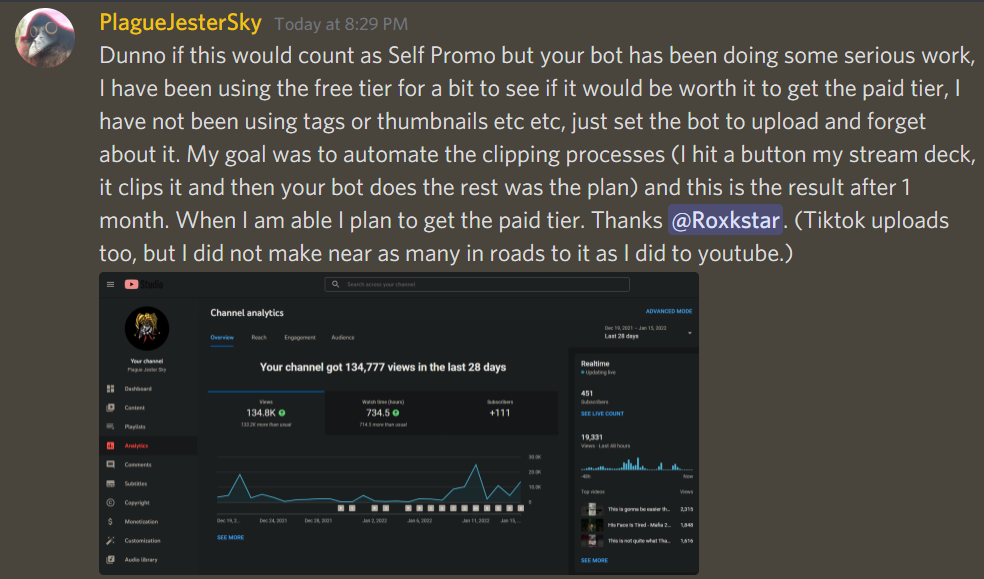
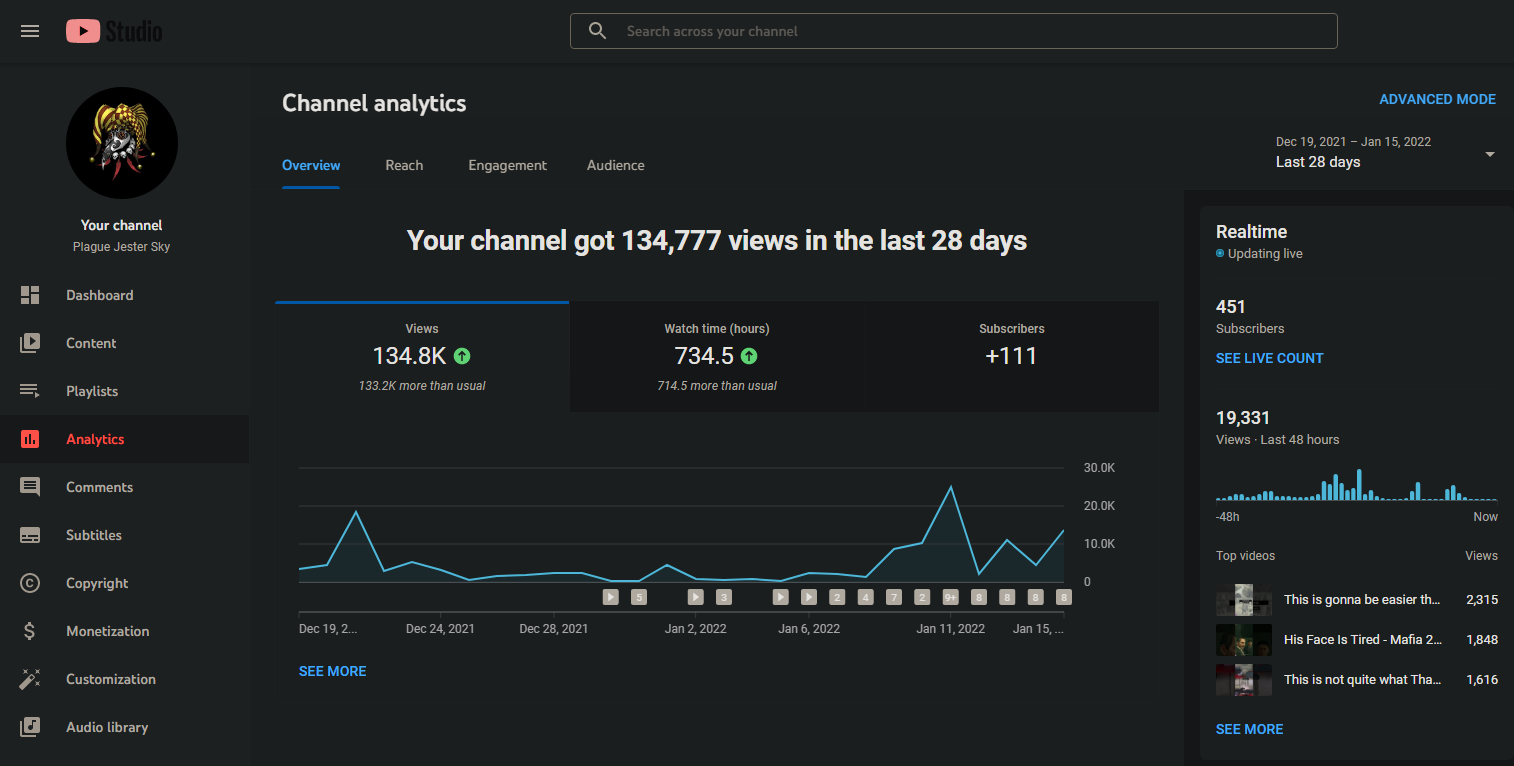
Want to learn more? Watch this highlight about why auto clipping is hard.
Frequently Asked Questions
Why did Athenascope shut down?
Athenascope shut down in April 2022. The service stopped operating and is no longer available. If you used Athenascope, you'll need an alternative tool to automatically handle your Twitch clips.
What is the best Athenascope alternative for Twitch streamers?
Clipbot is the best alternative to Athenascope. Unlike Athenascope, which created off-platform clips, Clipbot works with your actual Twitch clips. It automatically pulls your clips, edits them for vertical video (9:16), uploads them to YouTube Shorts, and publishes them to TikTok—all overnight.
How did Athenascope work before it shut down?
Athenascope watched your screen for hype moments in games—like kill streaks in FPS games or goals in Rocket League. It detected text like "GOAL" or "KILL STREAK" and automatically clipped those moments. The clips were hosted on Athenascope's own website, not on Twitch.
Can Clipbot automatically upload Twitch clips to YouTube Shorts and TikTok?
Yes. Clipbot automatically uploads your Twitch clips to both YouTube Shorts and TikTok. Once you connect your accounts, Clipbot edits your clips for vertical video, uploads them to YouTube as Shorts, and publishes them to TikTok while you sleep. No manual downloads or uploads needed.
How do I capture funny moments instead of just gameplay highlights?
Use Clipbot's Clip Hotkey feature. Press a button on your keyboard to clip the last 30 seconds of your stream when something funny or interesting happens. Clipbot will automatically edit that clip for TikTok and YouTube Shorts, upload it to YouTube, and publish it to TikTok overnight.
What other tools are similar to Athenascope?
Other Twitch clip tools include Sizzle and StreamLadder. Combo and Powder.gg have both shut down. However, Clipbot is the only tool that automatically pulls your Twitch clips, edits them for vertical video, and uploads them to both YouTube Shorts and TikTok without manual intervention.
Related Guides
Looking to grow your stream with clips? Check out these guides:
- How to Setup Clipbot with Nightbot
- How to Make Clips on Twitch: Tools You Should Be Using
- Twitch Edits: How to Edit Twitch Clips for TikTok and YouTube
- Upload Twitch Clips to YouTube Shorts (Not TikTok)
- Combo Clip Alternatives: Combo Shut Down, Use These Instead
- Clipbot vs. Powder: Comparison of Twitch Highlight Tools
- Clipbot vs. Sizzle: Comparison of Twitch Clip Tools
- StreamLadder vs. Clipbot: Twitch Clips Comparison
- Athenascope vs. Clipbot: Twitch Clips Comparison